BLOG OVERVIEW
YouTube Title Best Practices: The 12 Rules We Follow on Every Client Channel
In
YouTube
by
Edward Wood
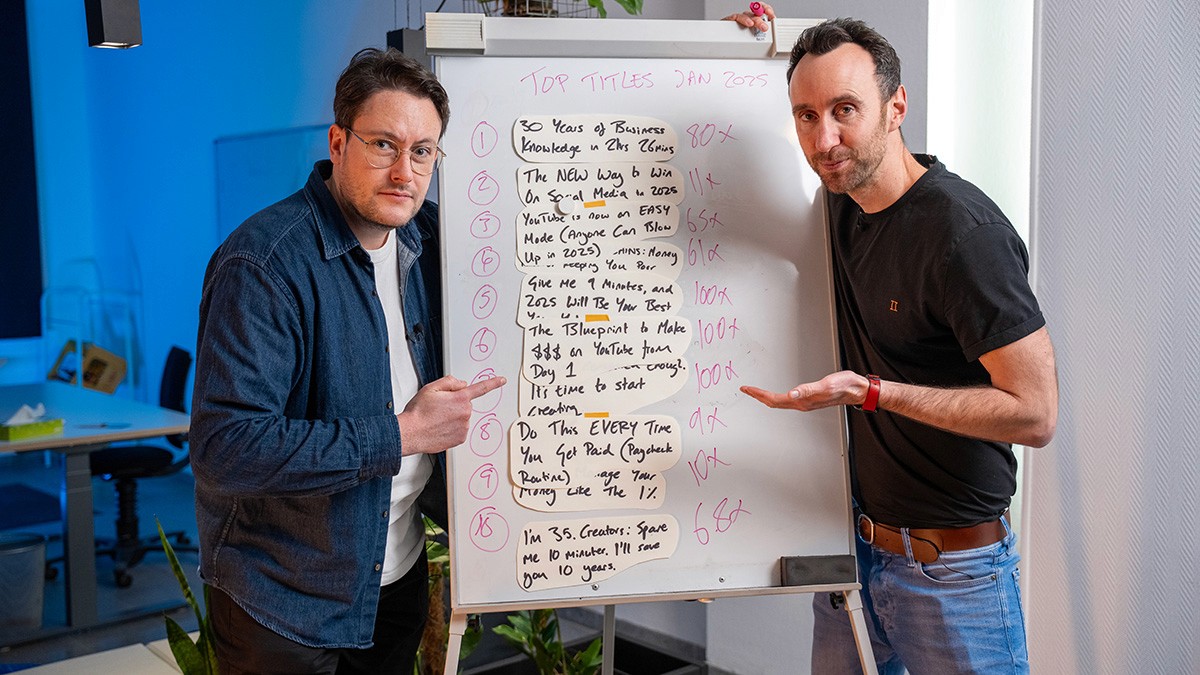
When I review a client's YouTube channel for the first time, titles are one of the first things I audit. Not because they're the most important element of a YouTube strategy, but because they're the element with the highest ratio of impact to effort. A better title on an existing video can improve CTR by several percentage points, and on a video that's already earning impressions, that translates directly into more views without producing a single frame of new content.
Over the past year at Humble&Brag, we've refined a set of title practices that we apply to every client channel. These aren't creative suggestions. They're rules, grounded in what we see in analytics, informed by platform documentation, and tested across dozens of channels in different niches.
This article covers the principles. If you want the specific structural patterns and formulas that drive the highest outlier performance, our companion guide on the best YouTube title formulas of 2026 covers those in detail.
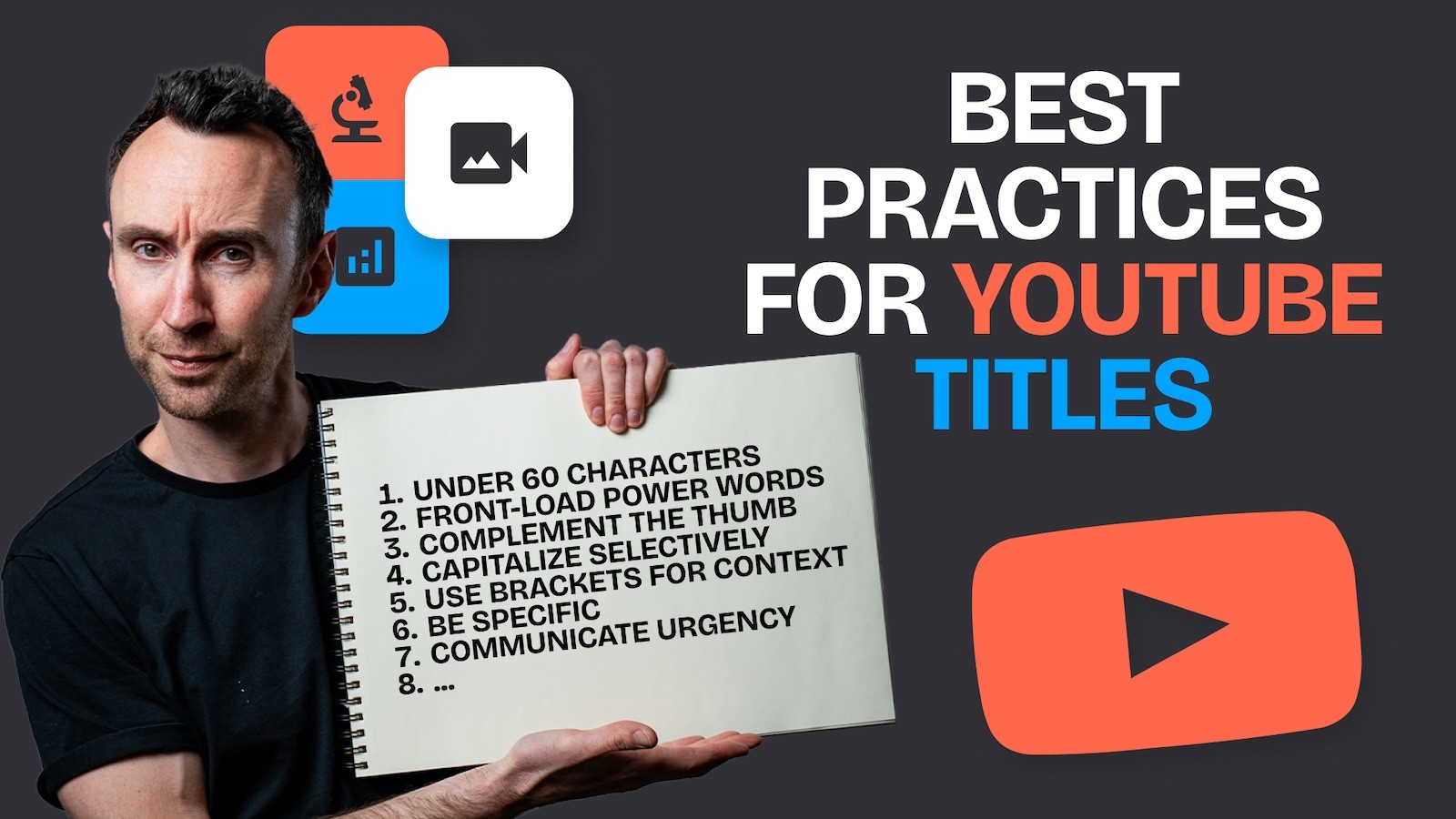
1. Keep Titles Under 60 Characters
YouTube allows 100 characters in a video title, but that's a ceiling, not a target. On mobile, titles get truncated after roughly 50 to 60 characters depending on the device. On the home feed and in search results, the cutoff is similar. Anything beyond 60 characters risks hiding the most important part of your title from the majority of your audience.
The Subsub.io analysis of 120,703 YouTube titles found that the median title length of top-performing videos was eight words, which typically falls in the 45 to 55 character range. Shorter titles aren't just more visible; they're easier to scan, which matters in a feed where viewers are deciding within a fraction of a second whether to click.
My rule: write the title, then delete every word that doesn't earn its place. If you can say the same thing in fewer characters, do it.
2. Front-Load the Most Important Words
The words that appear first in your title are the words most viewers will actually see. This applies to mobile truncation, but it also applies to how the human eye scans text: we read left to right, and the first three to five words carry disproportionate weight in the decision to click.
"How I Built a €1M YouTube Agency Starting With £0" is stronger than "Starting With £0: How I Built a €1M YouTube Agency." Both communicate the same information, but the first version leads with the outcome, which is the element that creates curiosity and earns the click.
For search-optimised videos, front-loading also means placing your primary keyword as close to the beginning of the title as possible. Studies and YouTube's own documentation confirms that title text is one of the signals used to understand and categorise video content. A title that begins with the target keyword is more likely to rank for that keyword than one that buries it at the end.
3. Match Your Title to Your Thumbnail
Your title and thumbnail are a pair. They should work together to tell a story, not repeat the same information. If the thumbnail shows a dramatic before-and-after transformation, the title should explain what the transformation is, not describe the visual the viewer can already see.
The best title-thumbnail combinations follow what I call the "1+1=3" principle: each element communicates something the other doesn't, and together they create a stronger case for clicking than either would alone.
At CareerFoundry, we tested this extensively. Titles that complemented the thumbnail (providing context the image couldn't convey) consistently outperformed titles that duplicated the thumbnail's message. The improvement was typically 1 to 2 percentage points of CTR, which on videos with tens of thousands of impressions translated to hundreds of additional views.
4. Use One or Two Power Words, Not Five
Power words, emotionally charged language like "proven," "secret," "essential," "deadly," increase CTR when used judiciously. Our guide on power words for YouTube titles covers the specific vocabulary in detail.
The practice to follow is restraint. One or two well-placed power words amplify a title's emotional impact. Three or more start to feel like spam, and viewers, especially in B2B and professional niches, will pattern-match your title to the low-quality content they've learned to skip. "The Secret Formula" is compelling. "The Shocking Secret Hidden Formula You NEED" is a parody.
5. Use Selective Capitalisation, Not All Caps
Capitalising a single word in your title ("Do THIS Before You Launch," "The REAL Reason Your Videos Fail") adds visual emphasis that can increase CTR. Capitalising the entire title ("THE REAL REASON YOUR VIDEOS FAIL AND HOW TO FIX IT") makes your content look like spam and signals desperation rather than authority.
Our standard practice: capitalise at most one word per title, and only when that word carries genuine emphasis. The capitalised word should be the one that changes the meaning of the sentence if removed.
6. Include a Keyword, but Write for Humans First
YouTube is a search engine, and titles are one of the primary signals it uses to understand what a video is about. Including your target keyword in the title is important for discoverability, particularly for search-driven content.
But with the Gemini AI integration in early 2026, YouTube now understands content at a semantic level. The algorithm reads your transcript, analyses your visuals, and builds a multidimensional profile of your video's intent. This means keyword stuffing in titles is not just unnecessary; it can actively harm you by making the title less clickable for humans without significantly improving algorithmic understanding.
The practice: include the primary keyword naturally, ideally near the beginning. Then write the rest of the title for the person who will decide whether to click.
7. Use Brackets and Parentheses for Context
Adding a parenthetical or bracketed element at the end of a title, such as "(Step-by-Step)" or "[2026 Update]," has become a reliable CTR booster. The Subsub.io data study found that titles using brackets slightly outperform those without, particularly for long-form content.
The parenthetical works because it provides a secondary signal about the video's value without cluttering the main title. "How to Run a YouTube SEO Audit" tells you the topic. "How to Run a YouTube SEO Audit (Step-by-Step Framework)" tells you the topic and the format, which reduces the uncertainty that might prevent a click.
We use this technique on roughly half of our client videos. The parenthetical typically contains either a format indicator (Step-by-Step, Case Study, Deep Dive), a scope signal (For Beginners, 2026 Edition), or a curiosity kicker (Even If You're Starting From Zero).
8. Numbers Outperform Vague Promises
An eye-tracking study by Nielsen Norman Group found that numerals attract fixation even when embedded in text that readers would otherwise scan past. This holds true on YouTube: titles containing specific numbers consistently outperform vague equivalents in our data.
"5 YouTube SEO Mistakes That Kill Your Views" outperforms "Common YouTube SEO Mistakes." "Get 1,000 Subscribers in 30 Days" outperforms "How to Get More Subscribers Fast." The number creates specificity, and specificity creates credibility.
Odd numbers tend to outperform even numbers slightly, and smaller lists (3, 5, 7) tend to outperform larger ones (15, 20, 50) for click-through, though larger lists can work for watch time because they promise more content.
9. A/B Test Every Title on Videos That Matter
YouTube's built-in title and thumbnail testing is now available to most channels, and the data it produces is among the most valuable in the analytics suite. For any video that's earning significant impressions, testing a title variation is the lowest-effort, highest-impact optimisation available to you.
Our standard practice: let each variation run for a minimum of 48 hours before drawing conclusions. Test one variable at a time (change the title structure or change the power words, not both). And focus testing on videos with high impressions but below-average CTR, because those are the videos where a title improvement will have the largest absolute impact on views. We covered the testing methodology in detail in our clickbait YouTube titles guide.
10. Write Different Titles for Shorts and Long-Form
Shorts titles serve a fundamentally different purpose from long-form titles. Viewers don't choose a Short based on its title; they encounter it in a swipe-based feed. The title provides context for content the viewer is already watching, rather than persuading them to click.
For Shorts, keep titles under 40 characters, use declarative statements rather than questions, and echo the hook from the video's opening line. The compression and blueprint formulas that work brilliantly for long-form content rarely transfer to Shorts because the format rewards immediacy over promise.
11. Don't Date Your Titles Unless You Have To
Including a year in your title ("Best YouTube Tools in 2026") helps for timely, search-driven content where freshness is part of the value proposition. But it also gives the video a built-in expiry date. A viewer encountering "Best YouTube Tools in 2025" in late 2026 will skip it, even if the content is still relevant.
Our practice: include the year only when the content is genuinely time-sensitive (annual roundups, algorithm updates, trend analyses). For evergreen content, avoid dating the title. A video titled "How to Structure a YouTube Channel Audit" will compound views for years. The same video titled "How to Structure a YouTube Channel Audit in 2026" has a 12-month shelf life.
12. Rewrite Titles on Underperforming Videos
Titles aren't permanent. YouTube allows you to change a video's title at any time, and a title refresh on an underperforming video is often the single fastest way to improve its performance.
Look for videos with high impressions but below-average CTR. These are videos where YouTube is showing your content to viewers but they're choosing other results instead. A stronger title on these videos unlocks views from impressions you're already earning.
When we audit a client's YouTube channel, title and thumbnail refreshes on high-impression, low-CTR videos are typically the first optimisation we recommend. It's not glamorous work, but the ROI is immediate and measurable.
Titles Are a Growth Lever, Not an Afterthought
Most creators and companies treat titles as the last step: film the video, edit it, write a title before uploading. The best-performing channels treat titles as the first step. They write the title before scripting the video, because the title forces clarity about what the video promises, who it's for, and why someone should watch.
If your titles are underperforming, the first step is running your channel through an audit checklist to identify which videos have the most optimisation potential. The second step is applying these practices systematically, not on one video, but across your library.
And if you want help building a title strategy grounded in competitive data and outlier analysis, we should talk.