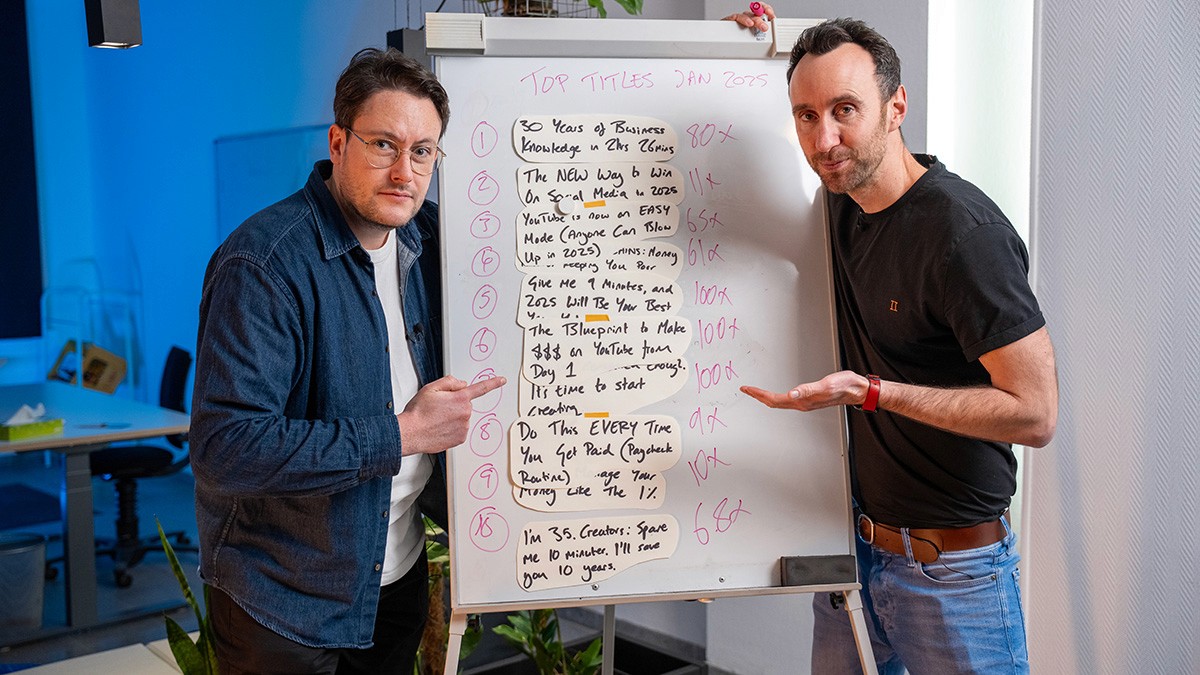
Open YouTube Analytics and sort your videos by oldest. Most of those uploads still answer questions people search for every week, and most of them pull a trickle of views, because the title, thumbnail and chapters were built for launch day and never touched again. Editing a video you already have is often a faster win than filming a new one. This guide walks through how to get more views on old YouTube videos with five changes, ordered from a two-second fix to a system that compounds for years.
The five levers are the title, the chapters, the thumbnail, an article version with schema, and playlists. Run them in that order and you can finish the first three in a couple of afternoons. I walk through all five in the video above. Most back catalogues are doing a fraction of the work they could, simply because nobody is paying them any attention.
Why your back catalogue is underworked
A video does not stop being useful the day its 48-hour launch window closes. Search demand for the topic often keeps ticking along for years, and an old upload is already indexed to serve it. The problem is that the packaging was built for the launch, not for the long-tail.
There is a second reason old videos underperform: they were optimised, if at all, for the browse feed. Browse rewards recency, so an old video has already lost that game. Search does not care how old a video is, only how well it answers the query. Shift an old video toward search and you move it onto ground where age is not a handicap.
Change 1: Retitle for search, not browse
The title is the easiest thing to change. You open the YouTube editor, type a new one, and it takes two seconds. The hard part is deciding what to change it to, and that depends on how YouTube discovers your video in the first place.
There are two engines. Search is someone actively typing a query into the bar. Browse is YouTube serving your video onto a homepage or a suggested sidebar. The two serve very different viewers, and they want very different titles. The search viewer is on a mission and wants a clean match for the question they typed. The browse viewer was shown your video alongside twenty others they never asked for, so the title has to spike curiosity to earn a stray click.
For old videos, pick search almost every time. The reason is recency: YouTube's homepage leans hard towards newer videos, so when you retitle an old one with a browse-style hook, the best you tend to get is a short spike, and often nothing at all. A search title behaves differently. It can keep compounding for months, sometimes years, because the query demand is always there. Whenever we retitle an old video around a clean how-to or a clear query, the views build slowly and then keep building. So when in doubt, lean into search. For more on how to structure the title itself, see our guide to YouTube title best practices.
One more free win: strip anything that dates the title. "The best X in 2025" quietly tells every viewer the video is stale, even when the content is fine. It is not only years, either. Anything that pins the title to a moment in time ages the video faster than its content does. Take it out.
Change 2: Add or upgrade the chapters
Chapters take a little longer than two seconds, but not much, and they do something titles cannot: they multiply the searchable surface area of a single video. A video without chapters is ranking for one thing, its title. Add eight chapters and you have turned one searchable surface into nine, working across three different platforms at once. Those three are YouTube itself, where chapters are searchable directly; Google, which pulls chapter timestamps into results as key moments, so one video can appear several times on the same page; and AI Overviews, where named chapters give the answer engines specific anchor points to cite.
The lazy version is to name chapters after your script segments: introduction, section one, conclusion. The better version is to look at what secondary keywords already sit inside the video and title the chapters around those. The "people also ask" box in Google search is a ready-made source: those questions come with proven intent and often translate straight into a chapter title. Question-shaped chapters work especially well because they match how people actually search. Our full method is in the YouTube chapters guide.
Change 3: Rework the thumbnail for the click
Titles and chapters are the back end. The thumbnail is the front end, the thing that earns the click. It is more work because it involves design, but the payoff on the metrics is worth it.
The most common mistake on company channels is the over-branded thumbnail: logo in the corner, brand colours everywhere, brand typography that refuses to stand out. Think about what your thumbnail actually competes against in the feed: creators pulling exaggerated faces, swear words in titles, gaming clips, reaction videos. Every one of those was engineered to win the click. A branded thumbnail was engineered for recognition, so the viewer reads it as an ad and scrolls past. Native-style thumbnails do not win by blending in; they win by using the tactics the feed rewards.
There is a compounding effect worth understanding. A higher click-through rate does two things at once: it converts more of the impressions YouTube already gave you, and it earns you more of them. If the video also holds its watch time, YouTube starts showing it to more people, and more impressions feed more clicks. If you have already fixed the title and chapters, you enter that loop from a higher baseline, so the three levers stack. Our YouTube CTR benchmarks show what "good" looks like by format.
To choose which videos to redo first, open YouTube Analytics and sort by impressions, then look for high impressions paired with a low CTR. Better still, check CTR by traffic source. A video can be fine on search but dying on browse, and that tells you exactly what to fix. You do not need to move the needle far: one or two positions up a search results page can add a lot of views on its own.
Change 4: Publish an article version with schema
Those first three fixes live on YouTube. This one takes the video off YouTube and onto your own site, and for company channels it is the highest-leverage move on the list, and the one most companies have not touched.
The reason is where views are coming from now. Google Search is growing as a source of YouTube views. Some of that is search on YouTube; a rising share is Google itself, where videos surface in the main results, the video tab, and AI Overviews. On some of the more established channels we work with, even ones that are barely posting anymore, Google Search has already overtaken browse features as the number one source of views. A view from Google Search is often worth more than a browse view, because it also lands a high-intent visitor on the page where a sale can happen. So you publish an article version of the video on your site, embed the video in it, and add the schema markup that tells Google what the video contains and where its key moments are. The article ranks, sends traffic to your site, and feeds the embedded video, a loop that keeps running. This is a big enough topic to have its own guide: see how to repurpose YouTube videos into ranking articles.
Change 5: Aligned content and playlists
The last lever takes the longest to set up and compounds the most. Change 4 built an ecosystem of articles around a video; this builds an ecosystem of videos around it. You plan new uploads that are explicitly aligned with the old ones: a sequel, a remake (which often does well when the original has aged a year or two), or a deeper technical dive on something you once covered at a high level.
The link between the two videos works on two levels. Implicitly, YouTube's recommendation engine starts surfacing the old video next to the new one, because the audiences overlap. Explicitly, you point at it yourself with end cards and, most usefully, a shared playlist. Playlists are one of the most underused tools on the platform: they tell the algorithm two videos belong together, they autoplay, and that autoplay extends session time, the thing YouTube rewards above almost anything. Playlists earn their own guide, YouTube playlists.
The order to run them in
Work top to bottom. Titles first, because they are the quickest change and the fastest to show a result. Then chapters, then thumbnails. All three fit into a couple of afternoons and usually move the numbers on their own. The article-and-schema layer takes longer to set up but keeps paying out for years. Aligned content and playlists is the strategic play that turns every new upload into a way to revive an old one. Do all five across your back catalogue and videos you had written off start working again.
If your back catalogue is doing a fraction of the work it should, that is exactly the kind of audit we run for clients. Talk to us today to see how we work with YouTube channels and can help you find where your quickest wins are.
FAQ
Do old YouTube videos still get views? Yes. Search demand for a topic often continues for years, and an old, indexed video can serve it. The limiter is usually packaging built for launch day rather than the long tail.
Should I delete or update old videos? Update, in almost every case. Deleting throws away an indexed asset and its existing signals. Retitling for search, adding chapters, and refreshing the thumbnail cost far less than a re-upload.
Does re-uploading an old video help? Rarely worth it. A re-upload loses the original's watch history and comments and restarts from zero, while an edit keeps everything and can compound. Reserve re-uploads for cases where the file itself is unusable.
How do I decide which old videos to fix first? Sort by impressions in YouTube Analytics and target high-impression, low-CTR videos, then check CTR by traffic source to see whether search or browse is the weak point.
How often should I refresh old videos? Treat it as a rolling job rather than a one-off. Revisit the top of your back catalogue each quarter, and refresh any video whose query has shifted or whose thumbnail now looks dated.