Browse features is the traffic source in YouTube Analytics that counts views from the YouTube home page, the subscriptions feed, and other browsing surfaces where the algorithm chose to show your video to someone who wasn't searching for it. If you're seeing this term in your analytics and wondering what it means, that's the short answer: the algorithm is recommending your content.
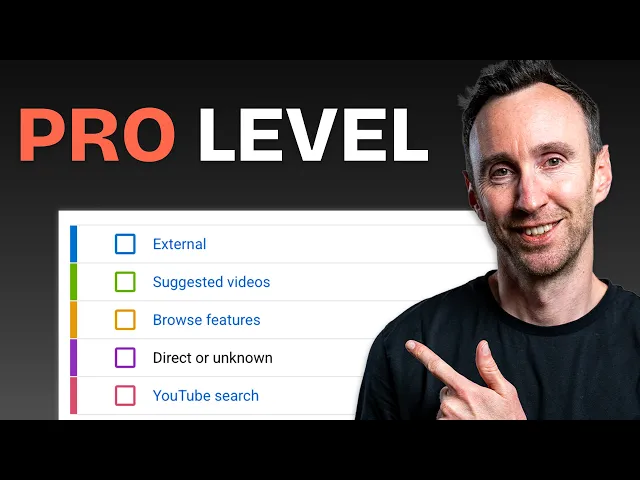
I see this question from nearly every business channel owner we onboard at Humble&Brag. The confusion is understandable, partly because YouTube's own documentation hasn't fully kept pace with how the platform actually works in 2026, and partly because there's a persistent mix-up between browse features, Suggested Videos, and the Shorts feed. All three involve the algorithm recommending content, but they represent different viewer behaviours and different signals about your channel's health. Check out the video below for a complete overview of all the YouTube sources—it's all you need to level up understanding up to pro level.
At its simplest: browse features means a viewer opened YouTube, saw your thumbnail on a browsing surface, and clicked. They weren't searching. They weren't watching someone else's video. The algorithm brought you to them, which is why browse features is the most direct signal of algorithmic endorsement available.
What Counts as Browse Features in 2026
Browse features is an umbrella category covering several browsing surfaces. Each one represents a different way a viewer encounters your content without actively searching for it.
The home feed is the dominant sub-source and where the vast majority of browse features traffic originates. It's the personalised grid of video thumbnails a viewer sees when they open YouTube on any device. The home feed is populated by the recommendation engine, which in 2026 runs on a Gemini-powered architecture that predicts which content a specific viewer will find satisfying at a specific time of day. When we talk about earning algorithmic distribution in our YouTube SEO guide, the home feed is the primary surface we're referring to.
The subscriptions feed is the dedicated tab where viewers see new uploads from channels they follow. Its relative contribution to browse traffic has declined over the past few years as the home feed has become increasingly accurate at surfacing subscribed content alongside new recommendations. Many viewers no longer navigate to the subscriptions tab separately because the home feed does the job for them. This doesn't mean subscriptions are unimportant; it means the algorithm has absorbed some of their function.
Watch Later captures views from users who previously saved a video and returned to watch it. This sub-source carries a particularly strong signal for the algorithm because it represents delayed but deliberate intent: the viewer saw your thumbnail, decided it was worth watching, and came back specifically to consume it. In our experience, high Watch Later traffic tends to correlate with longer educational and framework content, exactly the type of videos we produce for clients through the process described in our scriptwriting guide.
Watch History generates views when a user revisits previously watched content. This matters for utility content like tutorials, process walkthroughs, and reference material that viewers return to repeatedly.
Personalised Playlists and Mixes are auto-generated compilations (like "My Mix") that YouTube constructs dynamically based on viewing patterns. These tend to contribute a smaller share of browse traffic for business channels, but they do show that the algorithm is actively associating your content with the viewer's broader interests.
One update that matters: if you've read older articles listing "Trending" or "Explore" as a browse features sub-source, that information is outdated. YouTube removed the Trending page on July 21, 2025, replacing it with category-based Charts and a heavier reliance on personalised algorithmic feeds. Variety reported the shutdown as part of YouTube's broader shift toward personalisation over monolithic trending lists. Browse features in 2026 is almost entirely driven by personalised, dynamic recommendation rather than static trending aggregators.
How Browse Features Differs from Suggested Videos and the Shorts Feed
This is the distinction that causes the most confusion in YouTube Analytics, and getting it right matters for understanding what each traffic source tells you about your channel.
Browse features: the viewer opens YouTube and encounters your video on a browsing surface (home page, subscriptions, Watch Later). They weren't watching anything. The algorithm surfaced you proactively. This is "push" traffic: the system is bringing viewers to your content.
Suggested Videos: the viewer is already watching something, and YouTube recommends your video in the sidebar, the "up next" slot, or at the end of another video via end screens. The viewer is extending an existing session, not starting a new one. Suggested Videos is "adjacent" traffic: you're being shown because you're thematically close to what the viewer is already engaged with. We covered the mechanics of this in our traffic sources guide.
Shorts feed: the viewer is swiping through the continuous vertical video experience. This is its own traffic source category in YouTube Analytics, completely separate from browse features.
Where Shorts and Browse Features Overlap
Here's where the confusion becomes specific. YouTube Shorts appear on the home feed as well as in the dedicated swipe experience. How a view gets categorised depends entirely on how the viewer starts watching.
If a viewer is scrolling the home feed and taps a Short's thumbnail, that view counts as browse features. But if that viewer then swipes up to watch the next Short, they've entered the continuous vertical swipe experience, and every subsequent view counts as Shorts feed.
This means a single Short can legitimately generate traffic from both sources simultaneously. When you see this in your analytics, it tells you something specific: the thumbnail is working well on the home feed (earning browse clicks) and the content is holding attention in the swipe environment (earning Shorts feed views). Our Shorts benchmarks guide covers what healthy performance looks like across both sources.
What Browse Features Traffic Tells You About Your Channel
Different types of channels tend to show different browse features profiles, and there's no single "correct" percentage. What matters is what the number tells you in the context of your overall traffic mix.
Business and educational channels that focus on search-driven, evergreen content often see browse features accounting for 20 to 35 per cent of total views, with a meaningful share coming from YouTube and Google Search. But we've also worked with highly successful educational channels where browse features accounts for 70 per cent or more, typically because their content has strong entertainment value alongside the educational substance, or because they've built an exceptionally engaged subscriber base that the home feed serves reliably.
Entertainment and lifestyle channels commonly see browse features at 40 to 60 per cent, because their content is designed for casual, impulse-driven discovery on the home feed.
The pattern worth paying attention to isn't the browse percentage in isolation. It's the relationship between browse and search. A channel with strong browse traffic and growing search traffic has two active growth engines: the algorithm is recommending content (browse) and viewers are actively seeking it out (search). A channel with strong browse but almost no search traffic is relying entirely on the algorithm's favour, which can be volatile. Adding search-optimised content to the mix builds a more stable baseline, which is what we describe as the "quiet line" in our YouTube SEO guide: search traffic that compounds steadily while browse features spikes and settles around it.
Search traffic also tends to bring higher-intent viewers, people with a specific question or problem, which makes it particularly valuable for business channels focused on lead generation. But it's a complement to browse, not a requirement. The channels that grow fastest tend to build both engines simultaneously, as we covered in our growth playbook.
How to Increase Browse Features Traffic
Browse features traffic reflects how confidently the algorithm predicts your content will satisfy a specific viewer. You can't directly control the algorithm's decisions, but you can influence the signals it uses.
Packaging earns the click. The thumbnail and title are the only things a viewer sees on the home feed. If your CTR on browse surfaces is consistently low, the algorithm reduces distribution because it reads low CTR as low relevance to the audience being shown the content. For educational and B2B content, a median CTR around 4 to 5 per cent on browse surfaces is typical; entertainment content tends to run higher at 6 to 8 per cent.
Retention earns the distribution. Once a viewer clicks, how long they watch determines whether the algorithm recommends you to more people. Our retention benchmarks guide covers the ranges by video length, but the principle is straightforward: the hook in the first 30 seconds is weighted heavily because the algorithm assesses satisfaction quickly.
Consistency feeds the algorithm data. Each new upload gives the recommendation engine fresh engagement signals. Channels that publish weekly build momentum because the algorithm continuously recalibrates its confidence in your content. Long gaps between uploads mean less recent data, which reduces distribution. Our content calendar guide and channel management guide cover the systems that make consistency sustainable.
Intentional viewing is weighted more heavily than passive consumption. YouTube's recommendation engine in 2026 distinguishes between deliberate engagement (search clicks, notification taps, Watch Later retrieval) and passive consumption (autoplay, background listening). Content that earns active, voluntary attention gets more algorithmic distribution than content that merely accumulates passive minutes. This is one reason why our content strategy guide emphasises creating content people choose to watch rather than content that plays in the background.
Novel content outperforms derivative content. The algorithm suppresses videos that cover the same ground as content the viewer has already watched. If your video merely repackages what others have said on a topic, the system registers low "information gain" and reduces distribution. Original data, unique frameworks, and distinct personal experience earn more browse features distribution. This is the same principle behind the YouTube-first content marketing model we use at H&B: every video starts from original expertise, not from assembling what others have already published.
Where to Find Browse Features Data in YouTube Studio
In YouTube Studio, go to Analytics, then Content, then click "See More" under "How viewers find your videos." Select the Traffic Source tab. Browse features appears as one of the listed sources with impressions, views, and CTR.
Click into Browse features to see the sub-source breakdown (Home, Subscriptions, and other surfaces). This tells you whether your traffic is coming from the home feed (algorithmic recommendation to new viewers) or the subscriptions feed (your existing subscribers), which are two very different signals.
For the full picture of how browse features fits alongside search, suggested, and external traffic, and what a healthy balance looks like for your specific channel type, see our complete traffic sources guide. If you want a professional assessment of your channel's traffic profile, book a call with us.